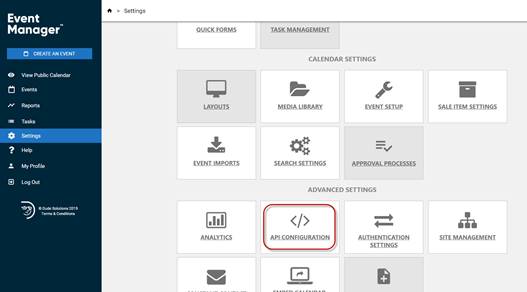
You will need to connect and login to the Event Manager API to retrieve calendar data. To do this a user will need to create an application token in the Event Manager system.
Click on Settings - Select Advanced Settings - Api Configuration
Create the Application
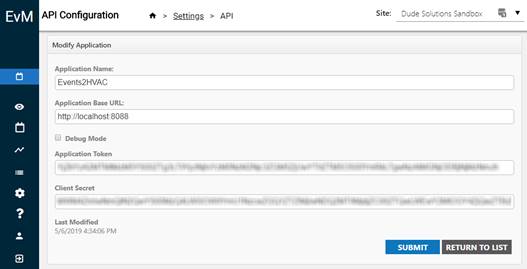
API Configuration Settings Needed
|
|
|
|
Application Name |
Events2HVAC |
|
Application Url* |
http://localhost:8088 |
|
Application Token |
|
|
Client Secret |
|
*Application Url is required to submit an application, however, this url is not used or required in Events2HVAC.
Application token and secret are the two items that Events2HVAC uses to connect to your calendar.