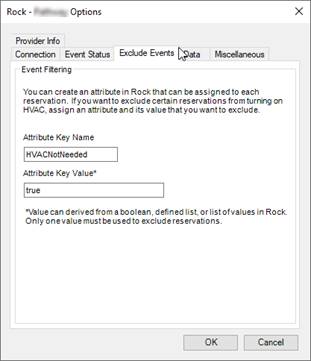
Click on the Exclude Events tab in the Options dialog box if you want to exclude certain types of events via a custom attribute defined in Rock.
Attribute Key Name
Enter the attribute key name that identifies the attribute that you want to use to exclude event reservations.
Attribute Key Value
Enter the attribute key value to be used to exclude event reservations. This value needs to be a single value for the attribute, not a multi-select list of values. Key value can be derived from a boolean state, defined list, or a list of values.
Events that are excluded will not show up in the “Confirmed” list of events for a zone in Events2HVAC. To view excluded events, in the Event List window, select “Any Status” instead of “Confirmed” events to see the unfiltered list of events.