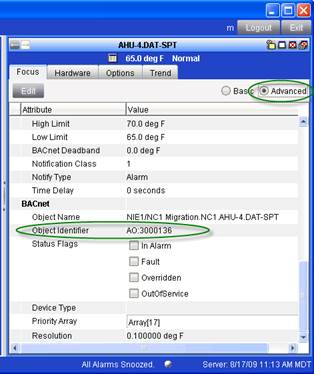
Find the MSEA point you want to map in the MSEA application. Double-click to show the Focus tab. Click on the Advanced checkbox and scroll down to view the BACnet properties.
In the example above, the object type is Analog_Output (AO) and the Object ID is 3000136.
If you don’t see BACnet properties, then the MSEA Site object is probably not set to enable BACnet.