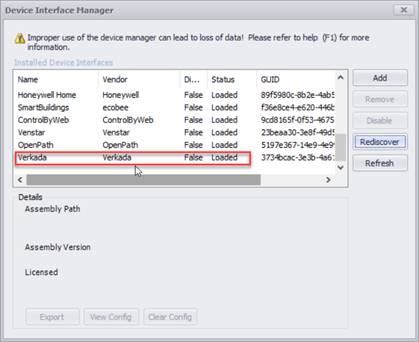
If you had Events2HVAC installed previously, and you didn’t have the Verkada interface loaded, or if you need to load a new version of the Verkada interface, you will need to manually force E2H to rediscover the devices.
1. Go to
Admin Menu à Device
Interface Manager
2. Click on the Rediscover button. Restart the E2H command queue windows service, and then restart the application to see the changes.
Note: Re-discovery of all devices are now performed automatically when the setup wizard is run after an update.