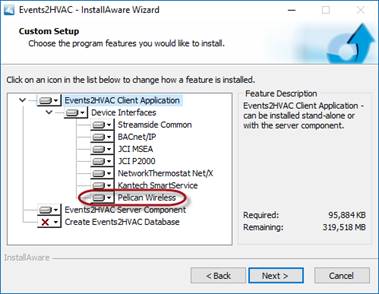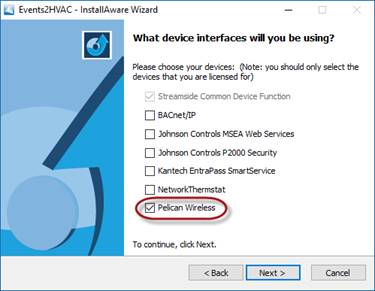
After running the setup installation file for Events2HVAC, when you get to the device interface page, make sure the Pelican Wireless option is selected as shown below. (Founten users will select Pelican Wireless as well.)
Also, make sure Pelican Wireless is selected under the “Device Interfaces” section in the custom setup page.