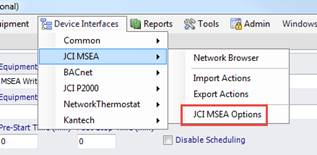
After the installation of Events2HVAC, you will need to configure the connection to the MSEA network.
1. Open the E2H client.
2. Select
Device Interface
àJCI
MSEA àJCI MSEA
Options. (note: if you don’t see this option, either you didn’t load
the JCI MSEA interface during setup or you need to re-discover your devices
using Device Interface Manager.
3. On the
Login Tab, enter the information specific to your MSEA network.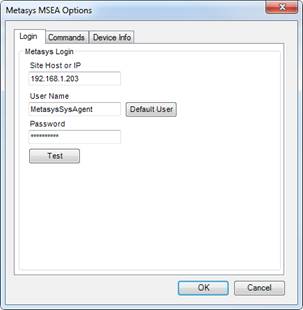
4. Test the connection. If it is successful, you are ready to start adding equipment.