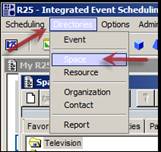
In CollegeNet Series25 still, access the Directories menu (top) and select the Space Directory item.
In the Space Directory window, click on the Full List tab to show the full list of rooms.
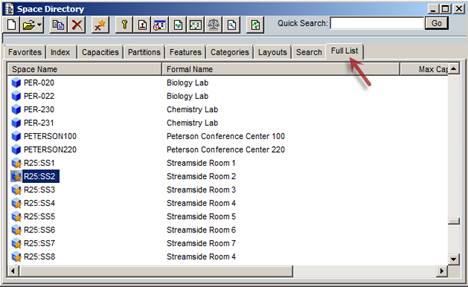
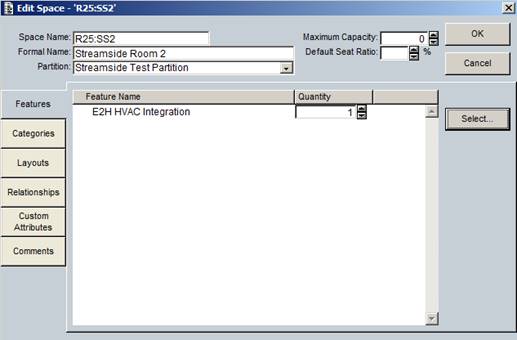
Click on each room that will be controlled by Events2HVAC, and assign the space feature "E2H HVAC Integration." Click OK.
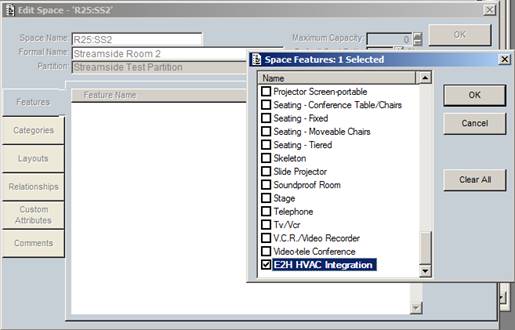
Ignore the Quantity field; this value does not apply. This screen confirms that the new space feature has been assigned. Click OK.
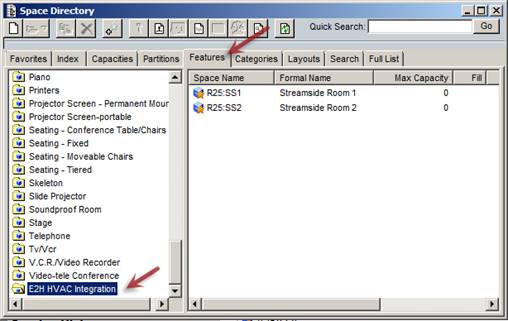
After you have assigned the space feature to all necessary rooms, click on the Features tab in the Space Directory, then click on the feature "E2H HVAC Integration" to verify that the feature is assigned to all necessary rooms (check room list at right).