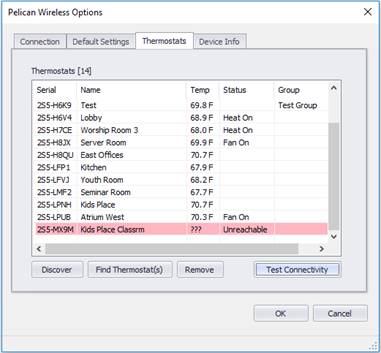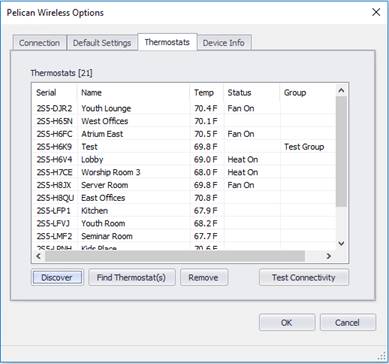
The Thermostats tab shows all the thermostats that have been discovered from the Pelican Wireless system. Initially this will be blank. You must manually discover the thermostats using the Find Thermostats button.
Note: The login user must have “Set & View” or “Full” permissions for each thermostat.
Discover
Click the Discover button to query for ALL thermostats on the site. The thermostats will be merged with any thermostats already shown in the list.
If you are missing some thermostats, make sure you have set the permissions correctly to view the thermostats.
Find Thermostat(s)
Click the Find Thermostats button to discover thermostats. You can either enter a comma-separated list of serial number or search for groups.
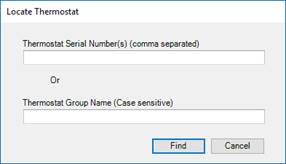
If you want to find all thermostats that are not in a group, just clear both fields and hit the “Find” button. This will return all thermostats that aren’t in a group.
If you do have groups, you’ll need to know the case-sensitive spelling of each group.
Thermostats found will be merged with the thermostat list.
Test Connectivity
Click the Test Connectivity button to query all the thermostats selected and update them with live data. If a thermostat returns an error or if the thermostat is “unreachable” the row will be highlighted in light red.