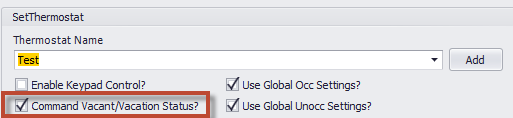
Depending on your settings in Events2HVAC, the Pelican Wireless Vacation schedules might conflict with some of your thermostats during “Unoccupied” or “Vacant” modes.
The “Command Vacant/Vacation Status?” checkbox will enable E2H to set the internal “status” of the thermostat to “Occupied” during occupied commands and “Vacant” for unoccupied commands.
When the thermostat is in “Vacant” mode, the thermostat will show “Vacant” at the thermostat and “Vacation” in the Site Manager web application for that thermostat.
If the thermostat has a Vacation schedule in the thermostat and the thermostat status is switched from “Occupied” to “Vacant”, that vacation schedule will begin. This will overwrite any unoccupied settings that may have been sent by E2H upon unoccupied mode switchover.
Similarly, if you are using the Vacation features from the Site Manager like “One Touch Vacation” or vacation calendar days, once a vacation is triggered, it will set each thermostat that has a residing local schedule to “Vacant” status. If one of these thermostats are controlled by E2H and are in “Occupied” mode, it will revert to vacation settings.