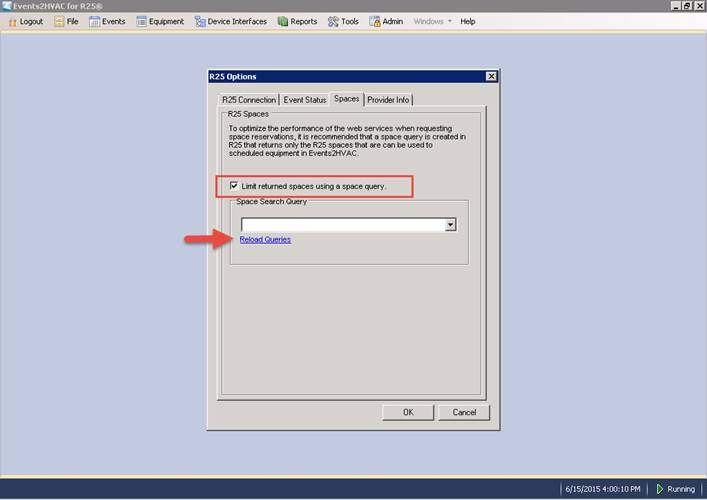
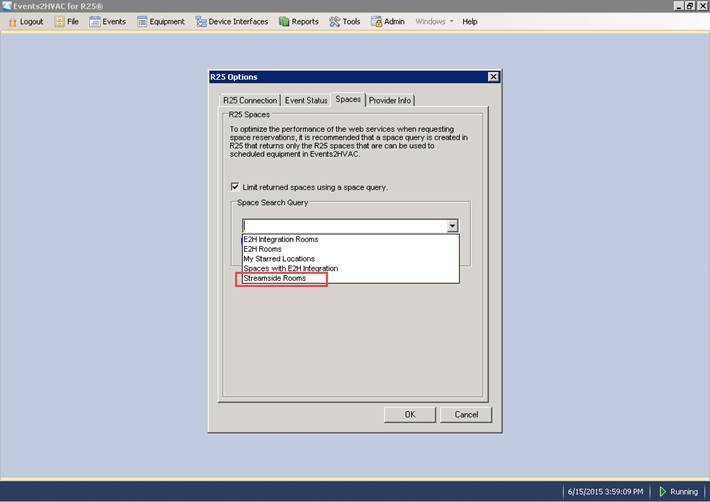
In Events2HVAC select Events > R25 Options. In the pop-up window, navigate to the Spaces tab. Check the "Limit returned spaces using a space query" checkbox. Click Reload Queries to retrieve all space queries from R25. Select the query that you created above.
Select the saved location search from the first step.
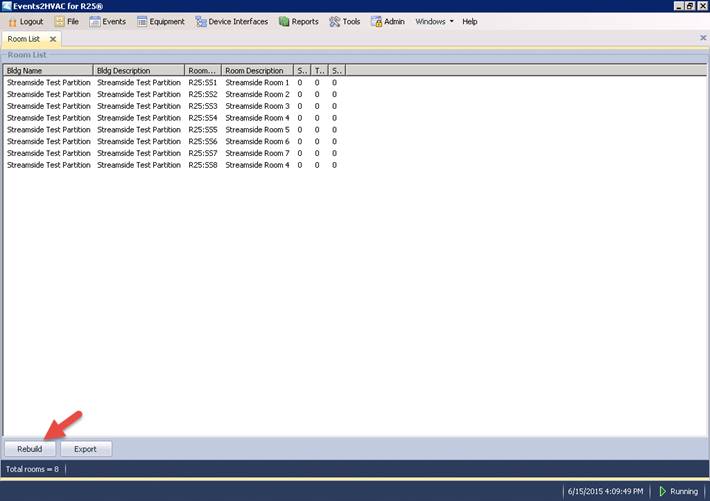
Verify that the space query is working. Open the Room List tab by selecting in the main menu Events > Room List Hit the Rebuild button to clear the room cache and rebuild the list from R25.